AD Management Controller

See every failed password attempt, privilege change and security finding in one place as it happens. Management stays on your network, the rules stay yours, and no critical move slips by quietly.

14 DAYS Free trial Full version. One-click install. Download options

Download and install

Open the package list once: choose the management panel for your Windows version, then the matching agent for the computers you manage.

Start here

1. Panel and agents

Install the panel once on the management host, then deploy an agent only on the computers you want to manage.

What is in the panel

The main areas you work with every day.

Self-Service

Users reset passwords and unlock accounts under your rules.

Users

Find accounts, reset passwords securely and open standard accounts.

Groups

See members and add or remove people from groups quickly.

Organisation chart

Browse the structure, move objects and manage Group Policy links.

Security findings

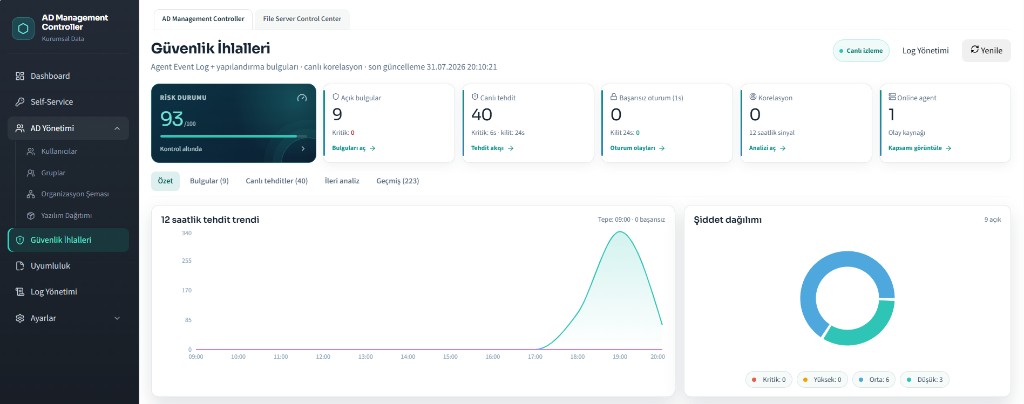
Risk score, open findings and a live threat feed in one screen.

Log management

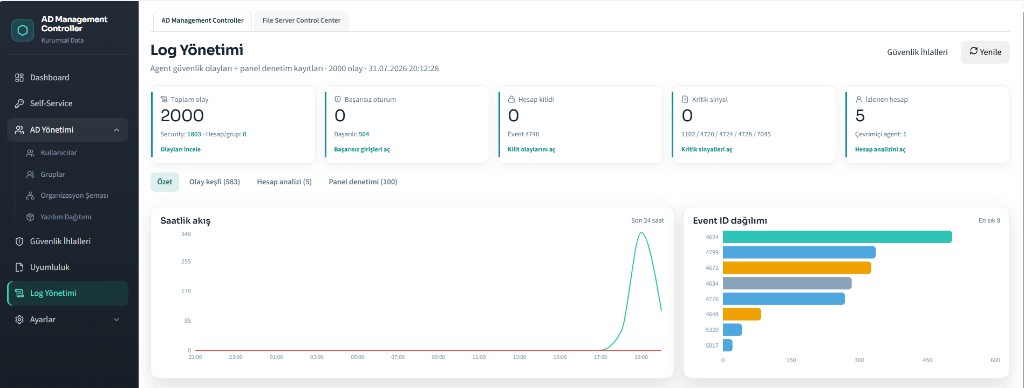
Event flow, account analysis and panel activity records.

Software deployment

Deliver agents and packages to computers from the panel.

Agent & settings

Agent inventory, lockout rules, dormant accounts and honeytoken watch.

Highlights

What each area actually does.

Self-Service

Fewer password tickets, without loosening your rules.

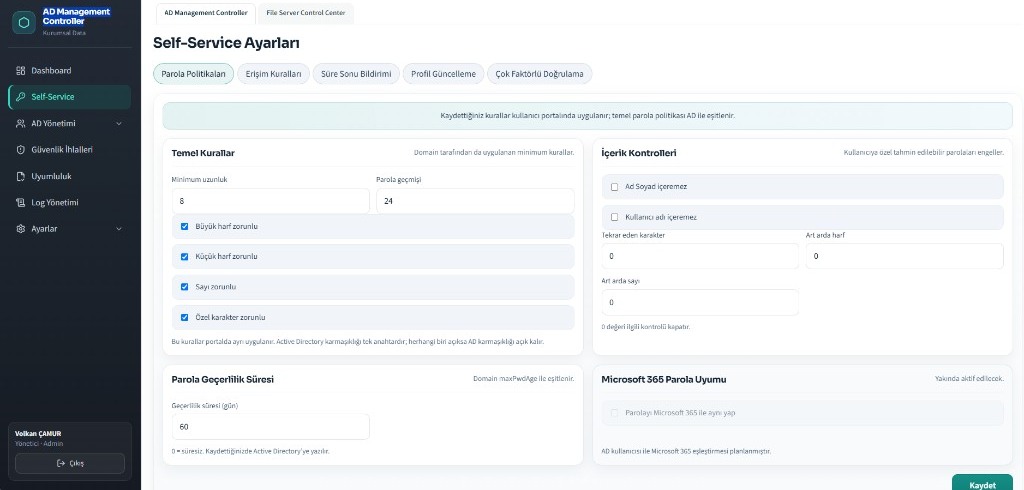
  • Password length, history and complexity rules
  • Block weak passwords with names or repeated characters
  • Password expiry period and reminder notices
  • Multi-factor authentication
  • Profile updates and access rules
  • Rules stay aligned with your domain policy

AD Management

Everyday account work from the browser.

  • Search users by name or e-mail, see active and locked counts
  • Secure password reset and standard account opening
  • Group management: list, add and remove members
  • Organisation chart with users, computers and groups
  • Create Group Policy objects and set their scope
  • Software deployment to computers

Security findings

Agent events and findings in one live view.

  • Overall risk status score
  • Open findings and live threat feed
  • Failed sign-ins and account lockouts
  • Severity and category charts with threat trends
  • Highlighted threats with time stamps
  • Findings, live threats, analysis and history

Log management

Who did what, and when.

  • Event, failed sign-in and lockout counters
  • Event discovery and account analysis
  • Panel activity records for admin actions
  • Hourly flow and event distribution charts

Screens from the panel

A look at the panel your team works in every day.

AD Management Controller: Security findings - Risk score, open findings, live threats and severity charts.
Security findingsRisk score, open findings, live threats and severity charts.
AD Management Controller: Log management - Event counters, hourly flow and event ID distribution.
Log managementEvent counters, hourly flow and event ID distribution.
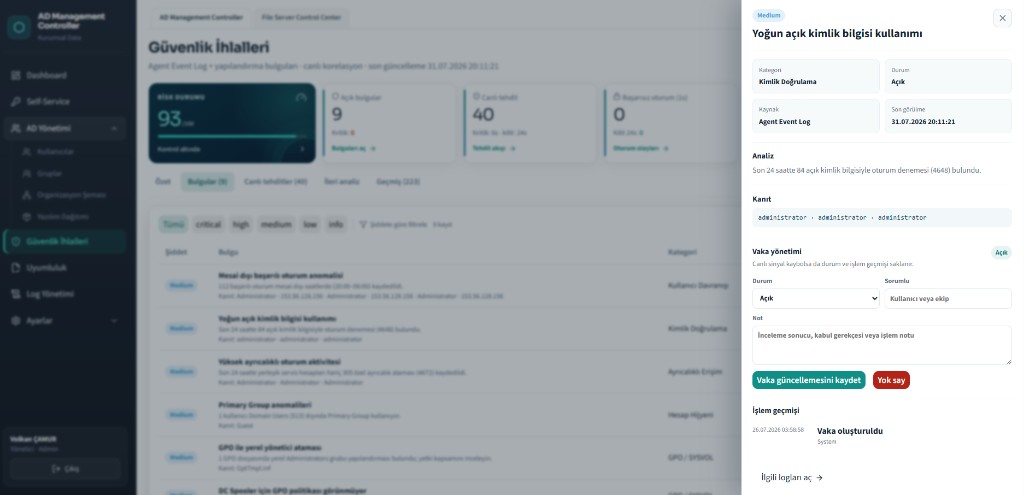
AD Management Controller: Finding detail - Analysis, evidence and case notes for a single finding.
Finding detailAnalysis, evidence and case notes for a single finding.
AD Management Controller: Self-Service settings - Password rules and content checks set with a few switches.
Self-Service settingsPassword rules and content checks set with a few switches.

Setup, agents and security settings

Deployment stays simple; protective settings are switches, not projects.

Agent deployment

EXE for one machine, MSI for bulk rollout. After setup the agent finds the panel itself.

Agent inventory

Registered agents with server, role, version and last-seen status.

Account lockout

Set how many failed attempts trigger a lock and for how long.

Dormant accounts

Bring accounts that have not signed in for a set period into disable scope.

Honeytoken monitoring

Watched decoy accounts raise a critical alarm on any sign-in.

Connection and license

Domain connection, general settings, agents and licensing in one menu.

Want to see it in your own environment?

Tell us about your setup and we will walk you through the right module set and licensing.

Name and Surname

×